


After pressing the Launch Button, and after your source files have finished loading, the main BreakIn window appears on your screen along with the application you told it to launch:
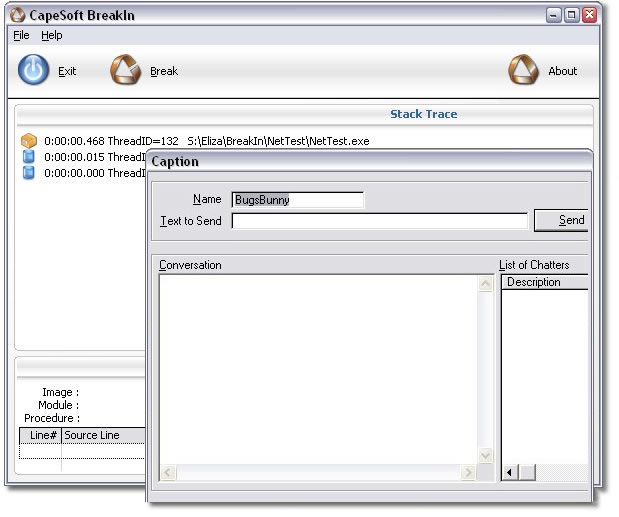
BreakIn runs your Clarion application as a child process and does not slow your application down in any way. It hovers in the background while monitoring your program. On the BreakIn window you will see two list boxes with the following information:
- Stack Trace: At the moment, this lists the each thread started up with your application. For each thread, the following information is displayed:
- Thread ID: The thread ID.
- CPU Time Usage: This is the number displayed to the left of the thread ID. It is the CPU time currently used by this thread.
- Procedure Source: This list box only becomes useful when the Break button is pressed.
Besides the list boxes, you will also see the following buttons on this window:
- Exit: If you've had enough of this for now, press this to exit BreakIn. Note that as soon as BreakIn is closed, it will close the Clarion application it started, too.
- Break: Press this at any time to "break into" your program. See the Breaking In section for more.
Your program will run normally until it hangs, gets
stuck in an infinite loop or does something else inexplicable. Whereas
before you may have been tempted to pull your hair out by the roots or
throw your keyboard at the dog, this has now become a perfect opportunity
to hit the Break button. At this point you will be Breaking
In to your program - click on the link for more.



